Press play.
Enter a world.
GhostDeck is an offline music player for macOS with the classic deck layout you remember and a living low-poly world behind your album that moves to every track.

Out now on the Mac App Store. One purchase, all five worlds, no subscription. macOS 14 or later. Follow the build on X.


01Five worlds behind your album
Every track gets a jewel case that turns slowly while it plays, floating over a scene that scrolls forever and listens to the music. Pick a world; the whole deck re-skins to match, and you can shift its hue to any colour you like.
02On a real desktop
A minute of ordinary use, recorded straight off a MacBook: switching worlds, shifting the hue, picking an EQ preset, and docking the whole deck into a corner while it plays.
03Your old skins, new worlds
Since 1.2 GhostDeck loads classic .wsz skins. Drop one on any window and the deck, equalizer and playlist are drawn from the skin's own bitmaps, while the world keeps moving behind your album. Command-K switches back to GhostDeck's own look.

04The deck
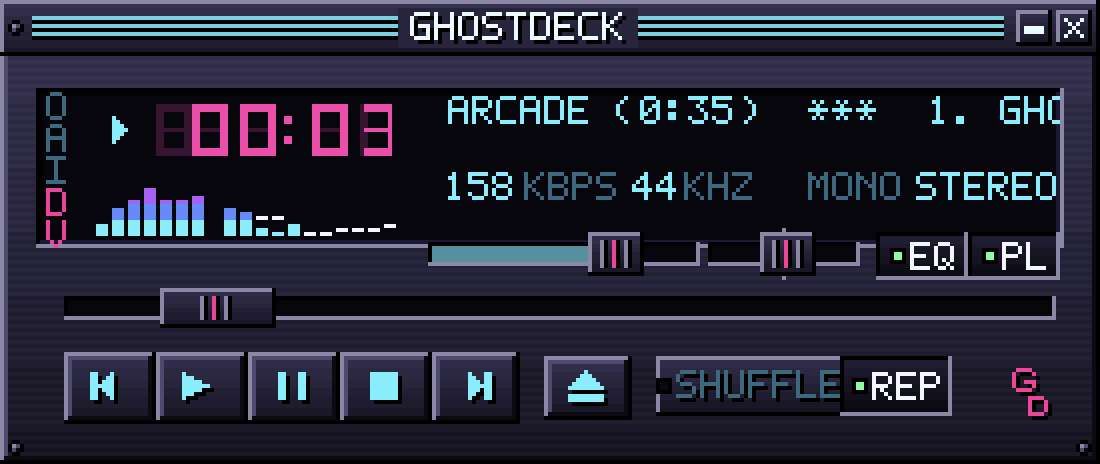
Four modules that snap together like magnets and move as one. Brushed metal, chamfers, rivets, glass, and a bitmap font drawn one pixel at a time.
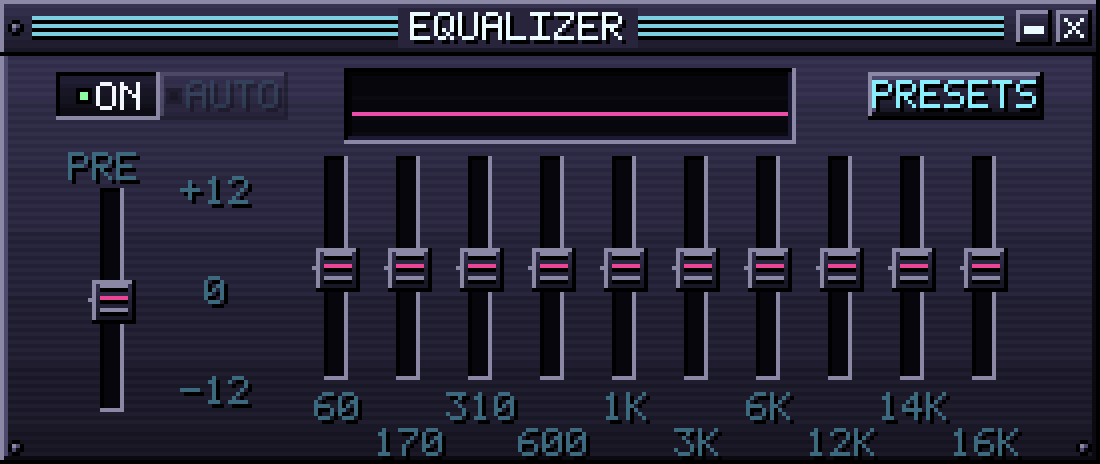
- Ten-band equalizer with presetsPreamp, live response curve, and presets from Flat to Bass to Headphones.
- Spectrum, marquee, LED timeThirty-two band analyser at your volume, scrolling title, elapsed or remaining time.
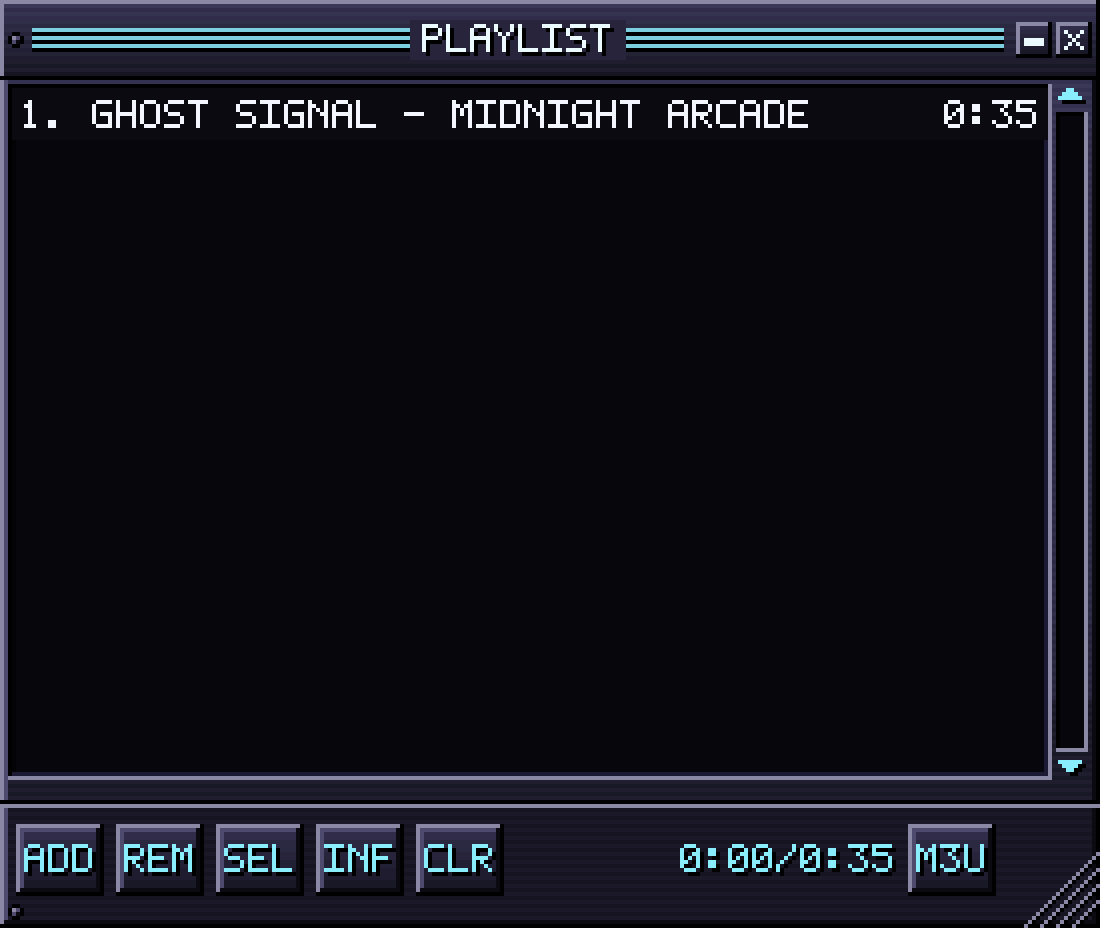
- Playlist with M3U in and outDrop files or folders, save and load playlists, shuffle and repeat.
- Windows that dock like magnetsDrag a module near another and watch the field close the gap. Pick 1x to 4x pixel scale.
- Media keys and Now PlayingWorks with your keyboard, the menu bar and the Now Playing widget.
05Made the hard way
No web view, no engine, no downloaded assets. GhostDeck is a small native app that draws everything itself.
NATIVE METAL
The 3D scene is a custom renderer written in Metal: retro pixel grid, low-poly geometry, real lighting, fog, planar reflections and a film-style vignette. It idles at a few percent of one core.
PROCEDURAL EVERYTHING
City facades, shop signs, wet asphalt, coral, sand, the moon: all generated on your Mac at launch from code. The one bundled asset is a public-domain skull mesh. The whole app is about 12 MB.
YOUR FILES, OFFLINE
MP3, AAC, FLAC, ALAC, WAV, AIFF and more, straight from your folders. Embedded artwork or a cover.jpg becomes the case insert; otherwise you get a generated retro sleeve.
PRIVATE BY DESIGN
No account, no analytics, no network access at all. The app is sandboxed and only ever sees the folders you open.
CLASSIC SKINS
Drop in the .wsz skins you collected years ago. The deck, equalizer and playlist are drawn from the skin's own bitmaps, and the worlds keep moving behind them.
THEMES AND HUE SHIFT
Five worlds, each with its own palette for the deck. Rotate the hue of any theme through the whole spectrum from the View menu.
KEYBOARD FIRST
The keys you remember: Z X C V B for transport, arrows for seek and volume, S and R for shuffle and repeat, L for the playlist.
06Questions
Does it stream from Spotify or Apple Music?
No. GhostDeck plays the files you own. Point it at a folder and it plays everything inside, recursively.
Does it support classic skins?
Yes. Since 1.2 GhostDeck loads classic .wsz skins: choose View > Skin > Import Skin, or drop the file on any window. The deck, equalizer and playlist take on the skin, the worlds keep playing behind your album, and Command-K switches back. GhostDeck ships no skins; you bring your own.
Which formats?
Everything macOS decodes natively: MP3, AAC and M4A, FLAC, Apple Lossless, WAV, AIFF, CAF and AC3. M3U playlists load and save.
What does it cost?
One purchase on the Mac App Store, all five worlds included, no subscription and no in-app purchases. The store shows the price for your country.
Which Macs?
macOS 14 Sonoma or later, Apple silicon and Intel. The renderer is tuned to be light on the battery.
Where does the artwork come from?
From your files. Embedded tags first, then a cover.jpg or folder.jpg next to the track, otherwise a generated sleeve that is unique to the title.
Is anything sent anywhere?
Nothing. The app has no network access. See the privacy policy.